Refund Settings
Role Required: SOCIETY_ADMIN
Navigation: Sidebar → Settings → Refund Settings
Last Updated: March 2026 | Portal Version: 1.0
Overview
The Refund Settings page configures how refund requests are handled for your society — including the buffer period (cooling-off time), cancellation fee, and whether refunds are processed automatically or require manual admin approval.
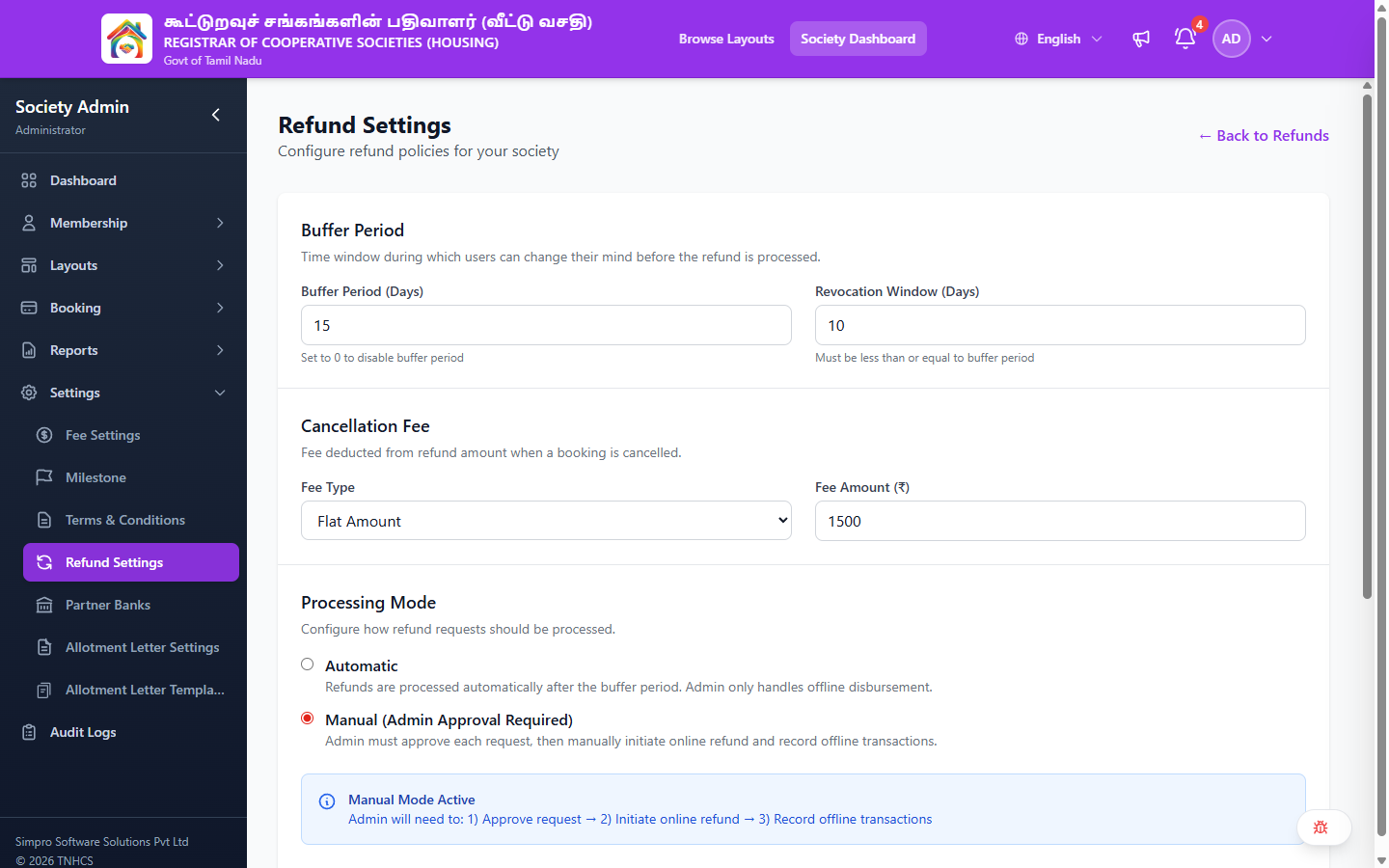
Page Layout
Header:
- Heading: Refund Settings
- Subtitle: Configure refund policies for your society
- ← Back to Refunds — Returns to the Refund Management list
Configuration Sections
1. Buffer Period
Time window during which users can change their mind before the refund is processed.
| Setting | Description |
|---|---|
| Buffer Period (Days) | Number of days before refund processing begins. Set to 0 to disable. |
| Revocation Window (Days) | Time within the buffer period during which users can revoke their cancellation. Must be ≤ buffer period. |
2. Cancellation Fee
Fee deducted from the refund amount when a booking is cancelled.
| Setting | Description |
|---|---|
| Fee Type | Dropdown — Percentage (of booking amount) or Flat Amount (fixed ₹) |
| Fee Amount | The percentage or fixed amount to deduct |
3. Processing Mode
Configure how refund requests should be processed.
| Mode | Description |
|---|---|
| Automatic | Refunds are processed automatically after the buffer period. Admin only handles offline disbursement. |
| Manual (Admin Approval Required) | Admin must approve each request, then manually initiate online refund and record offline transactions. |
When Manual Mode is active, the admin workflow is:
- Approve the refund request
- Initiate online refund (if applicable)
- Record offline transactions (if applicable)
Current Configuration
Shows the Last Updated date for the current settings.
Save Settings button applies all changes.
Help Guide
The page includes a sidebar explanation of each setting:
- Buffer Period: Gives users time to reconsider their cancellation
- Revocation Window: Time within the buffer period to change their mind and revoke
- Cancellation Fee: Can be a percentage or fixed amount, deducted from the refund
- Processing Mode: Automatic processes without admin intervention; Manual gives full control
Related Pages
- Refund Management — Process and track refund requests
- Offline Refunds — Handle offline refund disbursements