Allotment Letter Templates
Role Required: SOCIETY_ADMIN
Navigation: Sidebar → Settings → Allotment Letter Templates
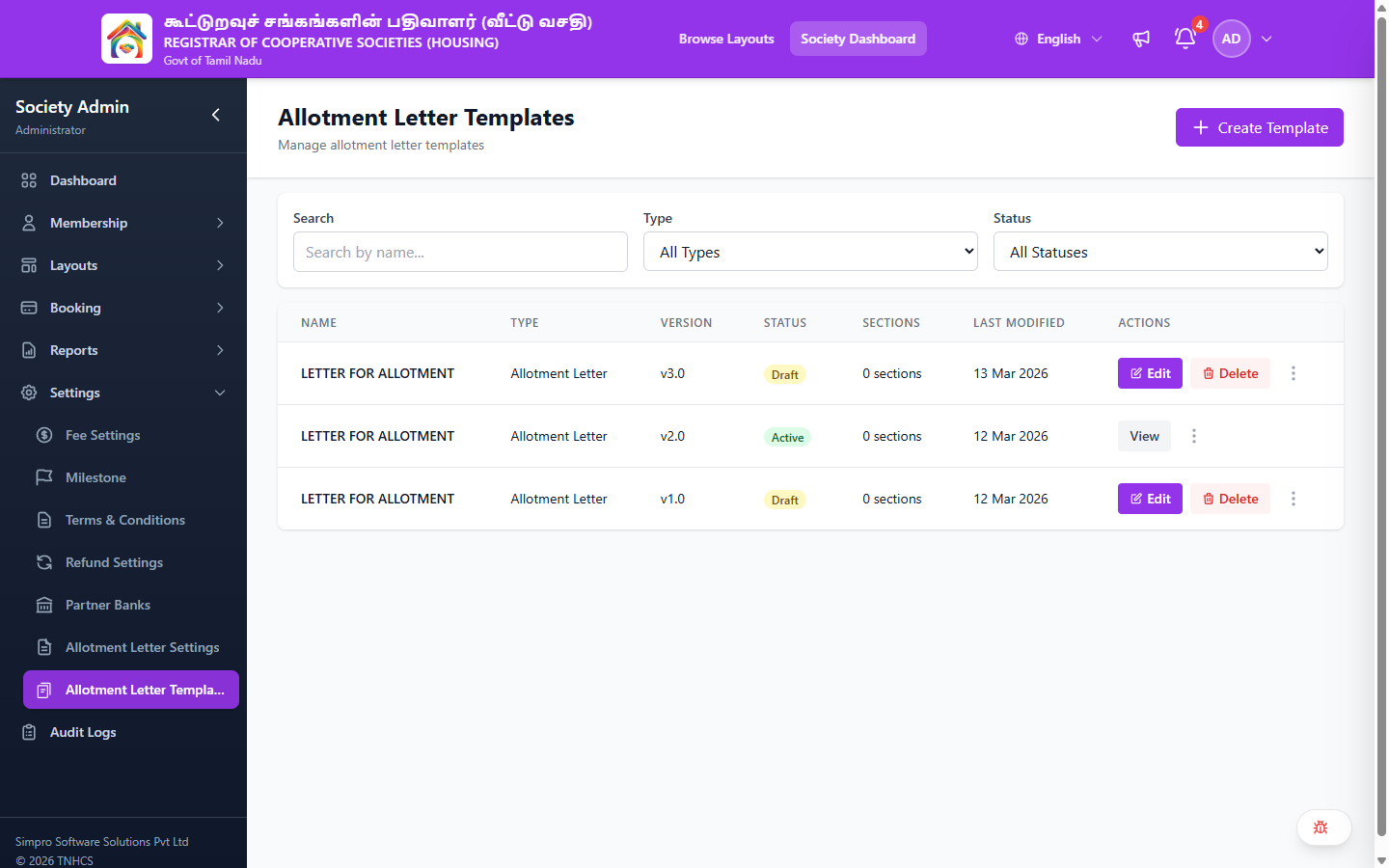
Manage the templates used to generate allotment letters for bookings. You can create multiple template versions, control which version is active, and archive old templates.
Header Actions
| Action | Description |
|---|---|
| Create Template | Create a new allotment letter template |
Filters
| Filter | Options |
|---|---|
| Search | Search by name |
| Type | All Types · Allotment Letter |
| Status | All Statuses · Draft · Active · Archived |
Template List
Templates are displayed in a table with the following columns:
| Column | Description |
|---|---|
| Name | Template name (e.g., LETTER FOR ALLOTMENT) |
| Type | Document type (e.g., Allotment Letter) |
| Version | Version number (e.g., v1.0, v2.0, v3.0) |
| Status | Current status — Draft, Active, or Archived |
| Sections | Number of content sections in the template |
| Last Modified | Date the template was last updated |
| Actions | Available actions (varies by status) |
Actions by Status
| Status | Available Actions |
|---|---|
| Draft | Edit · Delete · More actions |
| Active | View · More actions |
| Archived | View · More actions |
Version Control
Only one template version can be Active at a time per document type. Draft versions can be edited and promoted to Active. Once a version is Active, it becomes read-only — create a new version to make changes.
Workflow
- Create Template — Click Create Template to start a new template draft.
- Edit Sections — Add and arrange content sections within the template using the editor.
- Activate — When ready, promote the draft to Active status. This replaces the currently active version.
- Archive — Previous active versions are automatically archived for reference.