Allotment Letter Settings
Role Required: SOCIETY_ADMIN
Navigation: Sidebar → Settings → Allotment Letter Settings
Last Updated: March 2026 | Portal Version: 1.0
Overview
Allotment Letter Settings control how allotment letters (agreements) are generated when a booking reaches the required payment threshold. You can configure the generation mode, document types, and notification preferences.
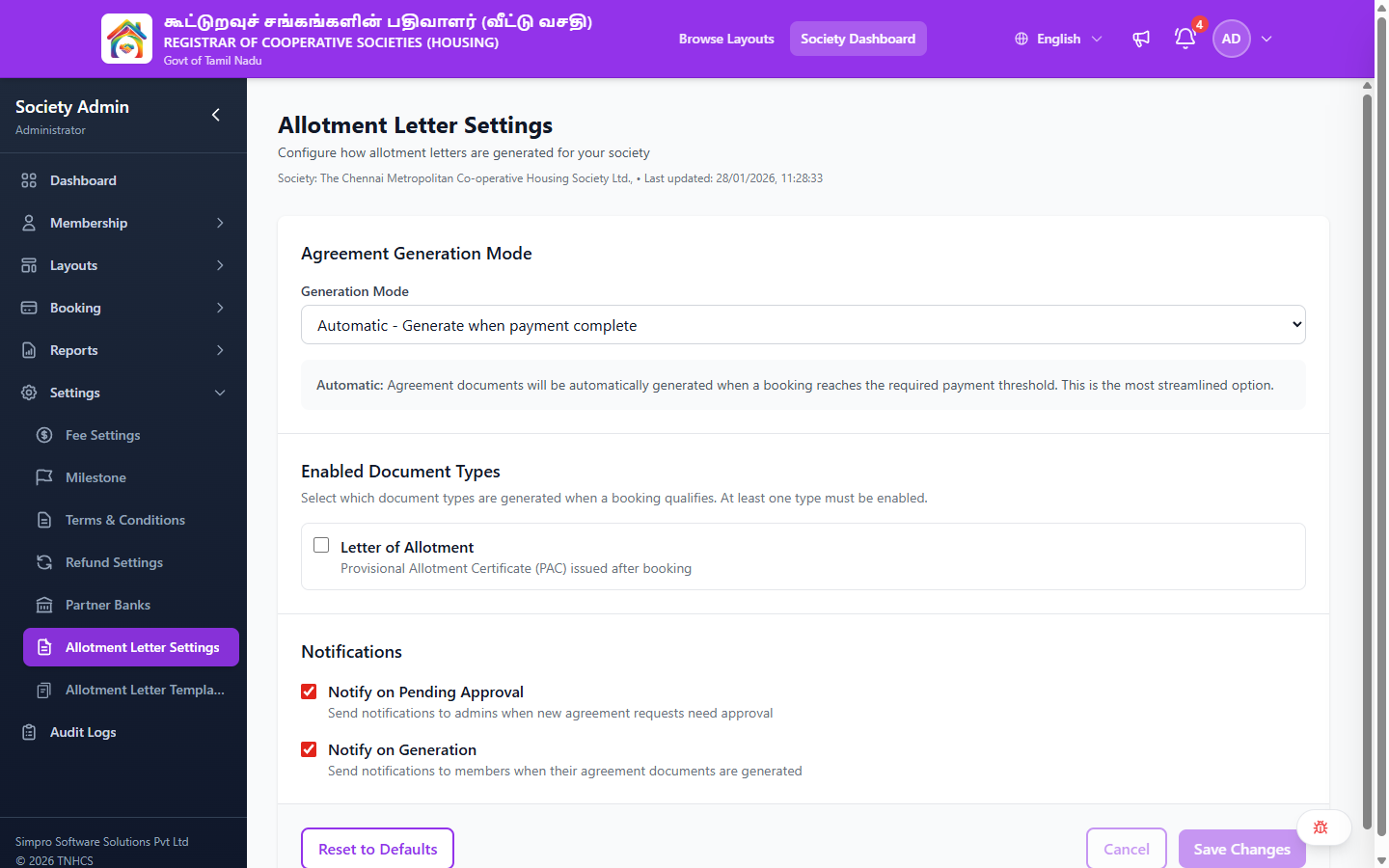
Configuration Sections
1. Agreement Generation Mode
| Mode | Description |
|---|---|
| Disabled | No automatic agreements — allotment letters are not generated |
| Automatic | Agreement documents are automatically generated when a booking reaches the required payment threshold |
| Approval Required | Agreements require manual admin approval before generation |
2. Enabled Document Types
Select which document types are generated when a booking qualifies. At least one type must be enabled.
| Document Type | Description |
|---|---|
| Letter of Allotment | Provisional Allotment Certificate (PAC) issued after booking |
3. Notifications
| Setting | Description |
|---|---|
| Notify on Pending Approval | Send notifications to admins when new agreement requests need approval |
| Notify on Generation | Send notifications to members when their agreement documents are generated |
Actions
| Button | Description |
|---|---|
| Reset to Defaults | Restore all settings to their default values |
| Cancel | Discard unsaved changes |
| Save Changes | Apply and save the current settings |
Related Pages
- Allotment Letter Templates — Manage the document templates used for generation
- Booking Management — Allotment letters are triggered by booking payment progress