Audit Logs
Role Required: SOCIETY_ADMIN
Navigation: Sidebar → Audit Logs
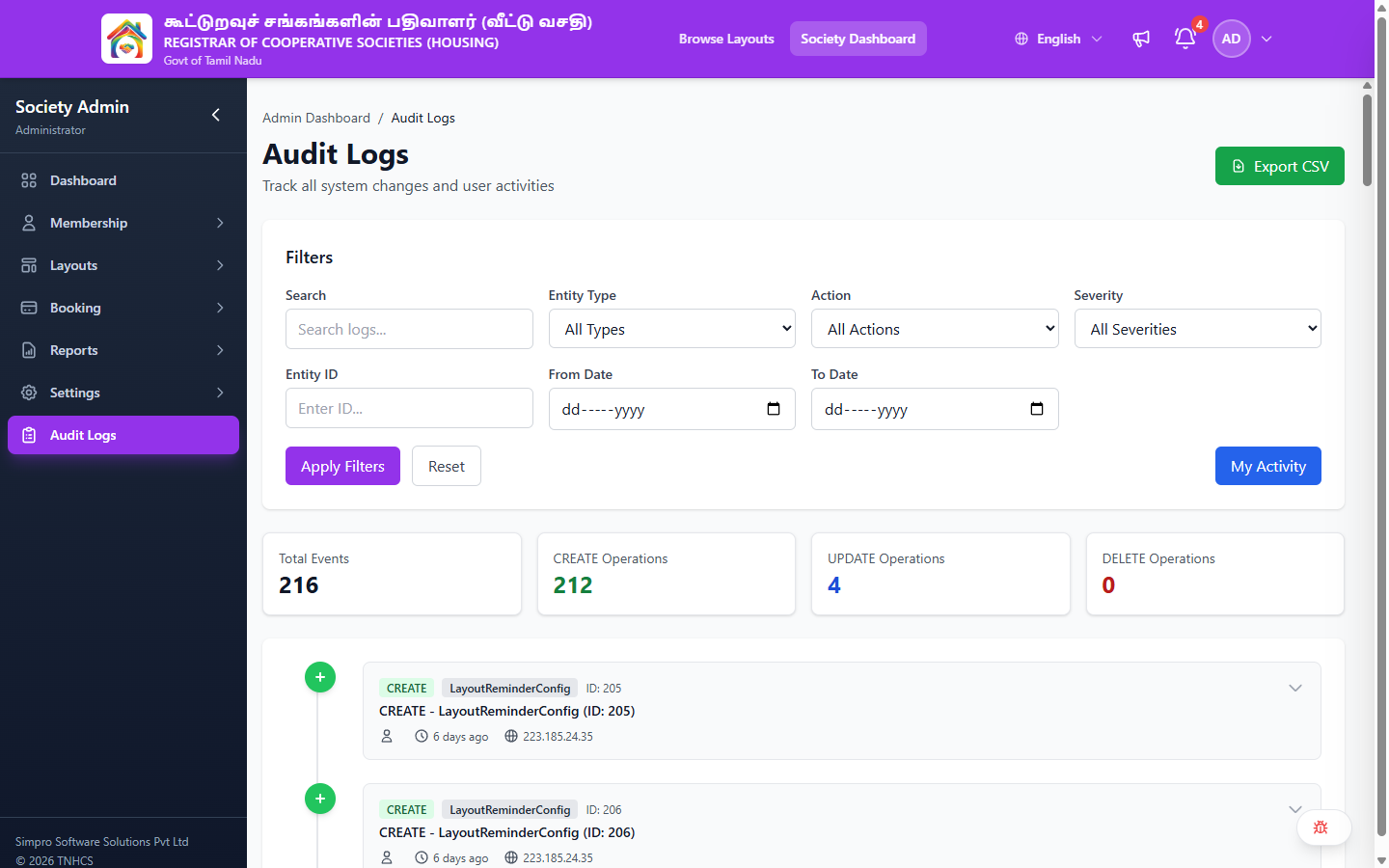
The Audit Logs page provides a comprehensive trail of every change made in the system — who did what, when, and from where. Use it to track administrative actions, investigate issues, and maintain accountability.
Header Actions
| Action | Description |
|---|---|
| Export CSV | Download the filtered audit log as a CSV file |
Filters
The filter panel lets you narrow down the audit trail:
| Filter | Options / Input |
|---|---|
| Search | Free-text search across log entries |
| Entity Type | All Types · AgreementTemplate · AgreementTemplateSection · Booking · GalleryImage · KycDocument · Layout · LayoutDocument · LayoutImage · LayoutReminderConfig · MembershipFormSubmission · NotificationTemplate · PaymentTransaction · Plot · Society · User · UserSocietyMembership |
| Action | All Actions · ACCOUNT_DELETION_REQUESTED · BULK_CREATE · BULK_IMPORT_LAYOUTS · BULK_POLYGON_UPDATE · CREATE · DELETE · POLYGON_UPDATE · STATUS_CHANGE · UPDATE |
| Severity | All Severities · INFO · WARNING · CRITICAL |
| Entity ID | Numeric ID of a specific entity |
| From Date | Start date for the date range filter |
| To Date | End date for the date range filter |
Filter Actions
| Button | Description |
|---|---|
| Apply Filters | Apply the current filter selection |
| Reset | Clear all filters and show all logs |
| My Activity | Show only actions performed by the current user |
Summary Cards
| Card | Description |
|---|---|
| Total Events | Total number of audit log entries |
| CREATE Operations | Count of create actions |
| UPDATE Operations | Count of update actions |
| DELETE Operations | Count of delete actions |
Log Entry Details
Each audit log entry is displayed as a timeline card showing:
| Field | Description |
|---|---|
| Action Badge | The operation type (e.g., CREATE, UPDATE, DELETE, STATUS_CHANGE) |
| Entity Type | The type of record affected (e.g., Layout, Booking, Plot) |
| Entity ID | The unique identifier of the affected record |
| Description | Summary of the change (e.g., "CREATE - LayoutReminderConfig (ID: 205)") |
| Timestamp | Relative time (e.g., "6 days ago") |
| IP Address | The IP address from which the action was performed |
| Expand | Button to view full change details |