MIS Reports
Role Required: SOCIETY_ADMIN
Navigation: Sidebar → Reports → MIS Reports
Last Updated: March 2026 | Portal Version: 1.0
Overview
The MIS (Management Information System) Reports page provides operational data views across four report types. All reports support CSV export for further analysis in Excel or Google Sheets.
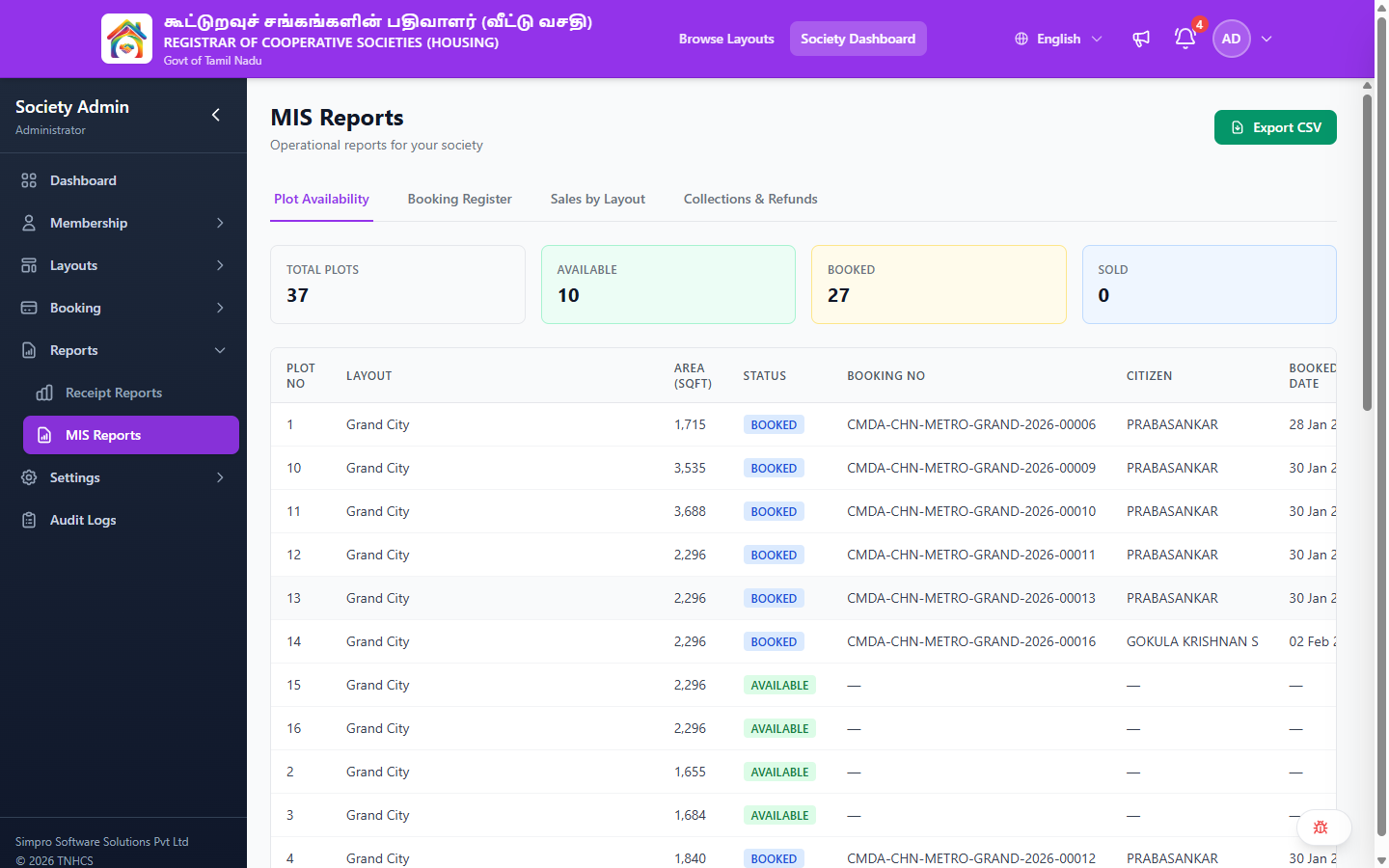
Page Layout
Header Actions:
- Export CSV — Downloads the current report tab data as a CSV file
Report Tabs:
| Tab | Description |
|---|---|
| Plot Availability | Real-time inventory of all plots with status and booking details |
| Booking Register | Complete register of all bookings |
| Sales by Layout | Sales performance grouped by layout |
| Collections & Refunds | Financial summary of collections and refunds |
Plot Availability Tab
Shows every plot across all layouts with current status.
Summary Cards:
| Card | Description |
|---|---|
| Total Plots | Total number of plots across all layouts |
| Available | Plots currently available for booking |
| Booked | Plots with active bookings (payment in progress) |
| Sold | Plots that are fully paid |
Table Columns:
| Column | Description |
|---|---|
| Plot No | Plot number |
| Layout | Layout name the plot belongs to |
| Area (sqft) | Plot area in square feet |
| Status | Status badge — AVAILABLE, BOOKED, SOLD, ON_HOLD |
| Booking No | Booking reference number (if booked/sold), or "—" |
| Citizen | Customer name (if booked/sold), or "—" |
| Booked Date | Date of booking (if applicable), or "—" |
Booking Register Tab
Complete list of all bookings with payment progress.
Sales by Layout Tab
Sales performance metrics grouped by layout.
Collections & Refunds Tab
Financial summary showing collections received and refunds processed.
Exporting Data
- Switch to the desired report tab
- Click Export CSV in the header
- The CSV file downloads with the current tab's data
Related Pages
- Receipt Reports — Detailed payment reports with date range filters
- Reports & Analytics — Performance scorecard and executive-level analytics
- Booking Management — Manage individual bookings